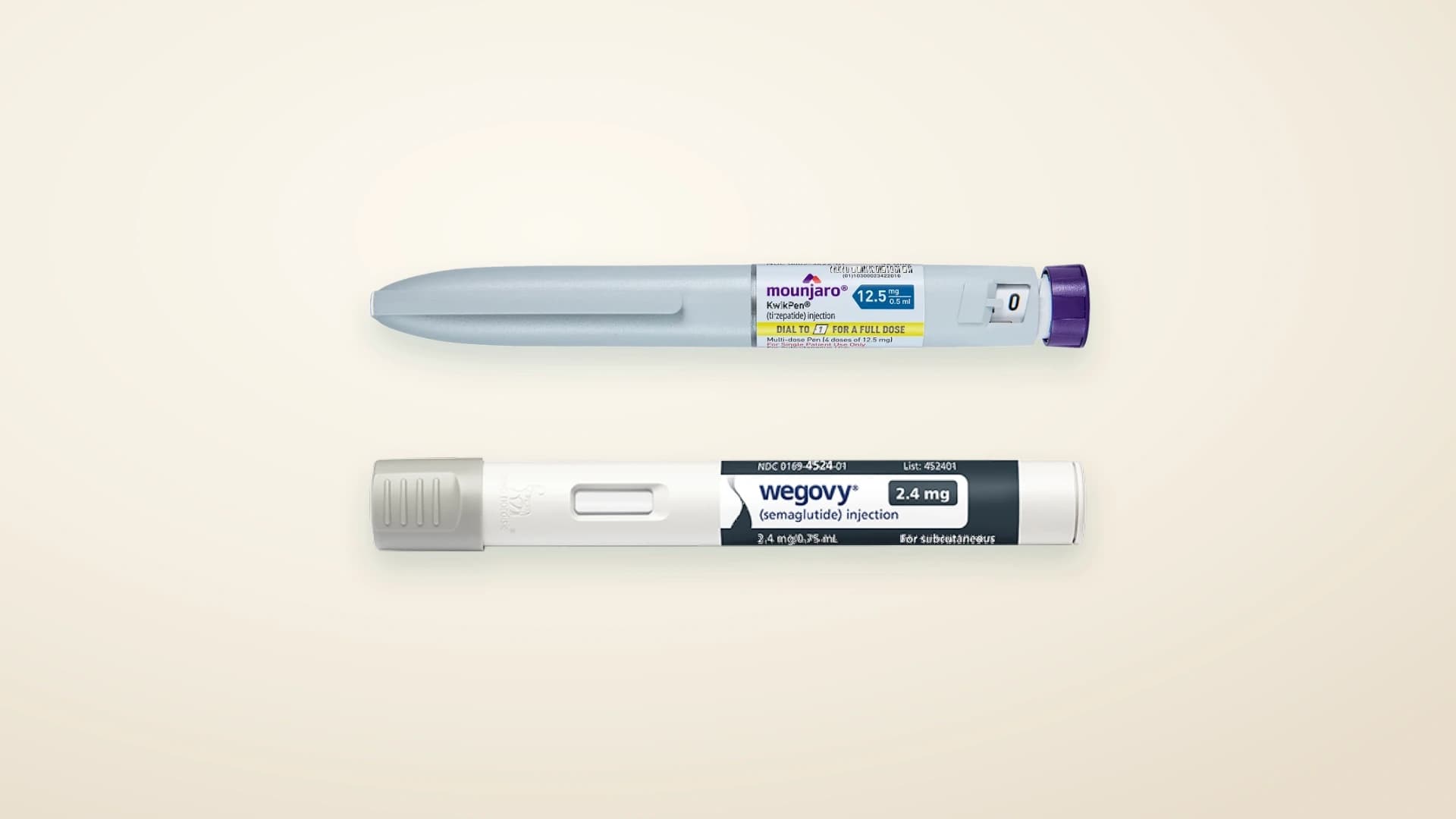
Instead of manually chasing a Wegovy renewal whenever your dose changes, set up a reminder-and-review workflow that sends your current treatment details to your prescriber before you need a new prescription. Automate the administration, not the prescribing decision: a reminder cannot approve a higher dose or replace clinical review.
TL;DR- Automatically renew Wegovy prescription dose change: automate reminders, not clinical approval.
- DarDoc provides GLP-1 weight-loss care; ask your clinician how dose reviews and prescription requests are handled.
- Keep your current dose, last injection date, symptoms and prescription instructions together.
- A changed dose needs an updated prescribing decision, not a repeated order for the previous strength.
Why this matters
A prescription renewal and a dose change are different decisions. A renewal continues an authorised treatment; a dose change alters the instructions your prescriber needs to assess. Treating both as an automatic repeat creates a mismatch between what you intend to take and what the prescription says.
DarDoc provides home and online GLP-1 weight-loss care for families in Dubai and Abu Dhabi. You can use DarDoc as a starting point for discussing treatment, but confirm the actual review and renewal process with your care team. Do not assume an automatic-renewal feature exists.
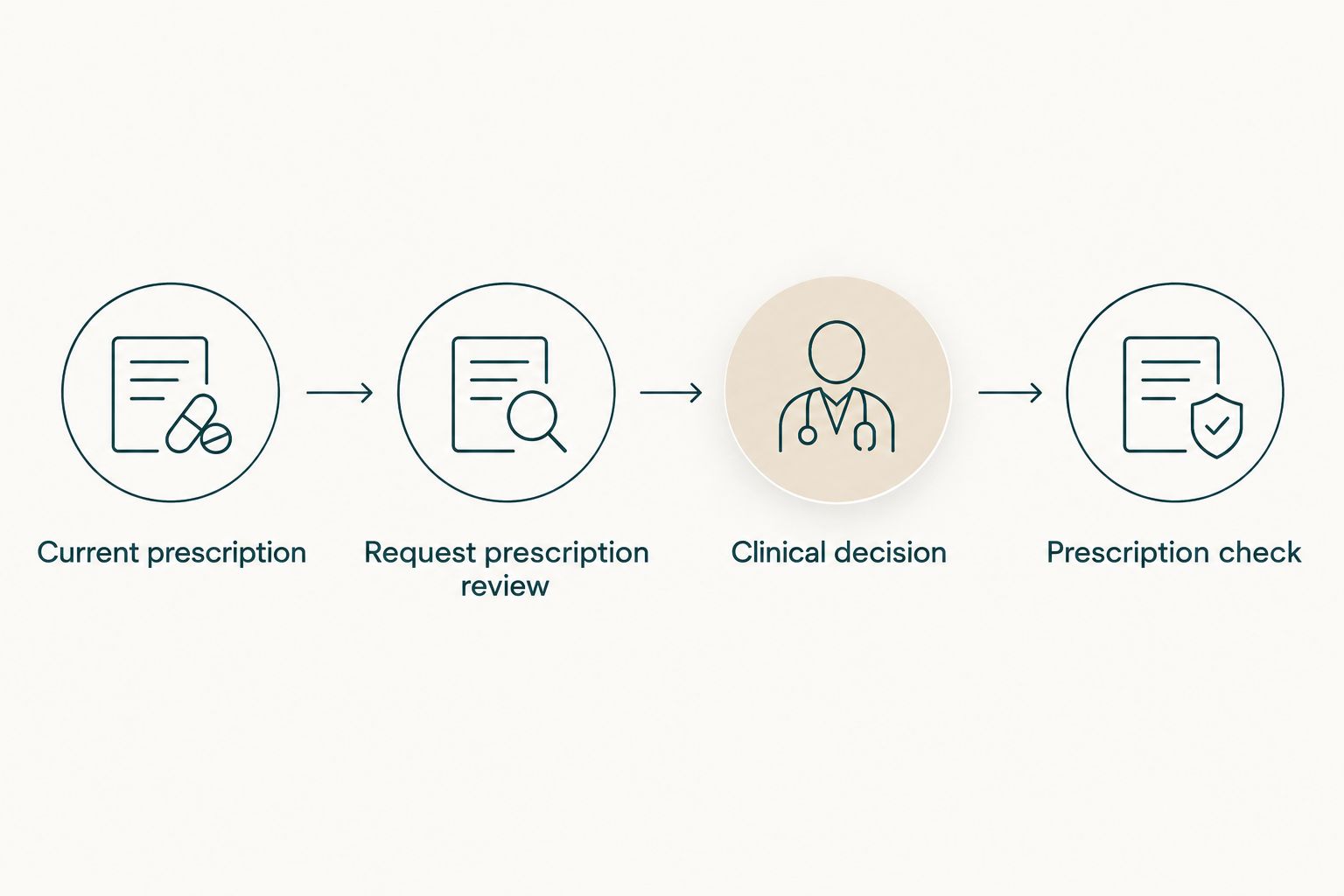
For your 2026 treatment plan, the useful workflow is simple: record the current instructions, trigger a review request, receive the clinician’s decision, then check the resulting prescription. The workflow ends with verification—not with a calendar notification.
Before you start
- Gather your treatment record. Have your current prescription, the exact Wegovy formulation and strength, your last dose date, your planned next dose date and a current medicine list. Include non-prescription medicines and supplements when you speak to the clinician.
- Confirm the communication route. Ask your provider where to submit a renewal request, who reviews dose changes and how you receive the decision. Use the provider’s approved patient channel for medical information, not a shared calendar or work inbox.
- Resolve the hidden blocker: the old prescription. A repeat request can still carry the previous strength. Confirm whether a changed dose requires a replacement prescription and what happens to any pending request for the old one.
Do not build this around an assumed monthly increase. A treatment schedule describes a possible progression; it does not establish that you personally should move to the next dose.
Current treatment record
Put the prescribing instructions in one place
- Create a private treatment note. Use Current prescription as your own heading, not as the name of a provider feature.
- Copy the medicine name, formulation, strength, prescribed dose and dosing frequency exactly from the current prescription. Do not reconstruct them from memory or from a photograph of a different pack.
- Add your last dose date and the next date specified by your treatment instructions. Record any missed doses separately rather than silently moving the schedule.
- Add a short symptom log. Record what happened, when it started, whether you can eat and drink normally, and whether it affects daily activities.
- Record the prescriber’s existing follow-up instructions. If no review date is documented, ask for one before setting a recurring request.
Expected result: you have one current record that distinguishes what you were prescribed from what you hope to take next.
For context, established Wegovy injection labelling starts treatment at 0.25 mg once weekly for 4 weeks, followed by 0.5 mg once weekly at the next scheduled stage. Those figures describe the labelled starting sequence, not permission to increase your dose. Your prescriber determines your instructions, including whether escalation should be delayed.
Keep the formulation explicit. Injection instructions are not interchangeable with instructions for another formulation, and a dose written in milligrams is not a universal instruction for using every device.
Review reminder
Build the trigger around a review, not a dose increase
- Open the private calendar or task application you already use. Create a task called Request prescription review; this is a suggested task name, not a DarDoc interface label.
- Schedule the task using the review date agreed with your clinician. If timing has not been agreed, ask the care team what lead time their process requires.
- Add a checklist containing Current dose, Last dose, Symptoms and Request status. These are your own checklist labels.
- Put only a neutral reminder in any notification that appears on a locked screen. Keep the medical details inside your private record or the provider’s approved channel.
- Make the reminder recurring only after confirming the review interval. Add a separate task to check that you received a response.
Expected result: a reminder prompts you to request clinical review before the next prescription decision. It does not instruct you to increase the dose.
For a 2026 calendar, check that the recurring task follows your actual appointment dates rather than the same day of every month. Weekly treatment dates and calendar months do not stay aligned.
A calendar reminder has a clear advantage: it reduces reliance on memory. Its limitation is equally clear: it cannot read your symptoms, assess treatment suitability or confirm that the clinician received your request.
Clinical review request
Send the information needed for a prescribing decision
- Use the communication channel your provider confirmed. Start with the purpose: continuing the current dose, discussing a planned increase or reviewing symptoms before any change.
- Provide the current prescribed dose, formulation, last dose date and any interruptions. Include the symptom record and changes to your medicines or health.
- State the question explicitly: should you continue, change, pause or attend an assessment? Do not present the next dose as already agreed unless it is documented.
- Ask how the clinical decision will reach you and whether an appointment is required. A submitted form is not evidence that a prescription has been issued.
- Record the response in your treatment note, including the date and the actual instructions. If a message is unclear, ask for clarification before acting on it.
Expected result: the prescriber receives a clear request and returns a treatment decision you can distinguish from an administrative acknowledgement.
With DarDoc’s GLP-1 weight-loss care, ask the care team to explain the review route rather than assuming a message, booking or repeat request authorises treatment. The same distinction applies regardless of which healthcare provider manages your prescription.
For your 2026 review record, keep the clinician’s decision separate from your symptom notes. That separation makes it easier to identify the latest authorised instructions when several messages discuss different doses.
Prescription check
Match the decision to the prescription before the next dose
- Read the new or renewed prescription. Compare the medicine, formulation, strength, dose and frequency with the clinician’s latest instructions.
- Check whether the old repeat request remains active. Ask the provider or dispensing pharmacist to resolve conflicting instructions rather than choosing between them yourself.
- Confirm the device instructions with the dispensing pharmacist if the supplied presentation differs from the one you previously used. Do not convert doses by counting clicks or copying instructions for another pen.
- Update your private treatment record only after the instructions are clear. Keep the previous entry as history, marked as superseded.
- Change the next reminder to match the newly agreed review date. Close the old task so it does not generate a second request.
Expected result: your treatment record, prescribing instructions and next reminder agree. Any discrepancy remains a question for the prescriber or pharmacist, not a calculation for you to solve.
If you want a broader explanation of the steps between prescribing and receiving treatment, read the GLP-1 prescription-to-home-delivery workflow. That guide concerns Mounjaro; use it for process context, not Wegovy dosing instructions.
Variant: request a review without changing the dose
A repeat-prescription workflow also applies when the plan is to stay on the current dose. Keep the same record, reminder and verification steps, but tell the clinician you are requesting continuation—not escalation.
| Workflow | Best for | Advantage | Limitation |
|---|---|---|---|
| Current-dose review | Patients whose agreed plan is to continue the existing dose | Keeps the request focused on the current instructions | Still requires the provider’s renewal process and review requirements |
| Dose-change review | Patients discussing an increase, reduction or restart | Makes the proposed change explicit before prescribing | Needs an individual decision; the next step cannot be assumed |
Neither workflow makes prescribing automatic. The distinction tells the care team what you need reviewed and prevents a continuation request from being mistaken for a request to increase.
If you are considering a different medicine instead of another Wegovy prescription, that is a separate clinical discussion. The guide on switching from Wegovy to Mounjaro safely addresses that question; do not build a switch into a recurring renewal task.
Troubleshooting
The request still shows the previous strength
Stop the administrative process and contact the provider. Explain that the request does not match the latest clinical decision, and ask which prescription remains valid. Do not use an old order as evidence that the previous instructions should continue.
The reminder fired, but nobody has replied
Check whether the request was successfully submitted through the agreed channel, then follow the provider’s escalation instructions. A notification on your phone confirms only that the reminder worked. If your next dose is approaching, ask the care team for instructions rather than increasing, doubling or improvising a dose.
Symptoms appear before the planned increase
Report the symptoms before changing the dose. Persistent vomiting, inability to keep fluids down or significant abdominal pain need clinical attention, not a routine renewal message. Severe or persistent abdominal pain warrants urgent assessment; seek urgent care rather than waiting for an administrative reply.
Treatment was interrupted
Tell the prescriber exactly when you last took Wegovy and how many doses were missed. A restart needs its own instructions; do not assume the previous dose remains appropriate after a gap. Keep the reminder on hold until the plan is clear.
Two reminders created duplicate requests
Keep one active task and close the duplicate. Notify the provider if both requests were submitted, particularly if they mention different strengths. A useful 2026 housekeeping rule is to update the existing treatment task after each decision rather than creating another recurring series.
Customize your workflow
Add administrative detail, not automatic treatment decisions. You can attach your appointment confirmation, note when a request was acknowledged and record the date of the next review. Keep clinical documents in the approved patient channel wherever possible.
If a family member helps, agree what they handle and what information you consent to share. They can remind you about an appointment without receiving every symptom note or prescribing message.
Ask DarDoc which parts of its GLP-1 weight-loss care process involve patient action and which require clinician review. Confirming those boundaries is more useful than assuming that a recurring appointment also renews a prescription.
FAQ
Can I automatically renew my Wegovy prescription when my dose changes?
You can automate reminders, but a changed dose needs a prescribing decision. Confirm your provider’s review process and check that the resulting prescription matches the clinician’s instructions.
Does a scheduled Wegovy increase mean I can request the next strength myself?
A scheduled increase is not permission to change your dose without the agreed clinical instructions. Report symptoms, missed doses and treatment interruptions before the prescribing decision.
Do I need a new prescription when my Wegovy dose changes?
Your prescription must match the dose your clinician authorises. Ask the prescriber or dispensing pharmacist whether a replacement prescription is needed and how the previous request will be handled.
Can DarDoc automatically approve a Wegovy dose increase?
Do not assume DarDoc offers automatic approval or an automatic-renewal feature. Ask its care team how prescription requests and dose reviews are handled; reminders do not replace clinical assessment.
What should I send with a Wegovy renewal request?
Send your current prescribed dose and formulation, last dose date, missed doses, symptoms and relevant medicine changes through the approved patient channel. State whether you are requesting continuation or discussing a change.
What if my Wegovy prescription shows the wrong strength?
Contact the prescriber or dispensing pharmacist before using conflicting instructions. Ask them to reconcile the prescription with the latest clinical decision rather than calculating a substitute dose yourself.
Can I restart my previous Wegovy dose after a treatment gap?
Ask your prescriber for restart instructions before resuming after a treatment gap. Provide the date of your last dose and the number of missed doses so the decision reflects the interruption.
One last thing
The most useful automation is a stop condition. Write this into your task: if the prescription and the clinician’s latest instructions disagree, contact the care team before proceeding. That single check catches a problem that a perfectly timed reminder cannot fix.